
Watch the Video
The modern content landscape often feels like a race to publish as much as possible.
Algorithms reward consistency and volume, but many creators forget something important: creativity is still the real driver of audience engagement.

Posting frequently might get you visibility — but it’s creative storytelling and strong ideas that make people stay, subscribe and share your content.
Over the past 15 years working with video and digital content, I’ve developed a workflow that dramatically speeds up production without sacrificing creativity.
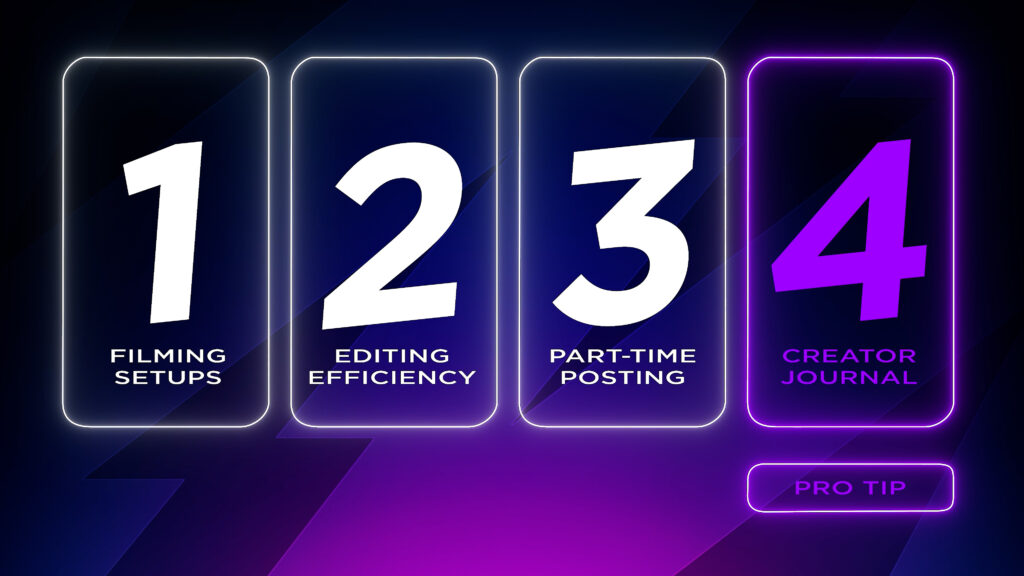
In this article I’m going to share four creator productivity hacks that transformed how I work. These techniques help you:
- Film faster
- Edit more efficiently
- Publish content consistently
- Never run out of ideas
And for each one, I’ll also share a “pro tip” that made the biggest difference in my workflow.
1. Batch Filming: The Secret to Creating More Videos in Less Time
One of the biggest hidden time drains for content creators is setting up your filming environment.
When you first start creating videos, it’s common to spend hours:
- Adjusting lights
- Repositioning cameras
- Setting up microphones
- Tweaking backgrounds

At one point I realised something surprising.
I was spending more time setting up my equipment than actually filming videos.
If you constantly tear down and rebuild your setup, filming can quickly become exhausting.
The Productivity Fix: Batch Film Your Content

The solution is to treat filming like a production day instead of a single task.
Rather than filming one video at a time, batch multiple videos together.
Here’s the approach that works well:
- Write scripts for 3–5 videos
- Set up your filming space once
- Record all talking-head segments in one session
This approach has several benefits:
- Your lighting and camera settings stay consistent
- Your appearance and branding remain cohesive
- You build a backlog of content quickly

Many creators are surprised how easily they can film several weeks’ worth of content in a single day.
Pro Tip: Choose a High-Energy Filming Day
Your energy on camera matters.
Pick a filming day where:
- Your schedule is clear
- You’re well-rested
- Your mood is positive
For example:
- After a gym session
- Before the weekend
- On a day where you typically feel productive

When your energy is high, filming becomes faster, more enjoyable, and your enthusiasm comes across on camera — which ultimately improves audience engagement.
2. How to Edit Videos Faster (Without Sacrificing Creativity)
For many creators, video editing is the biggest bottleneck in the workflow.
Editing is where creativity happens, but it can also consume hours of your time.
When I first started editing videos, opening the timeline felt exciting — there were endless creative possibilities.
But once you’re producing content consistently, editing can quickly start to feel overwhelming.
The Productivity Fix: Streamline Your Editing Workflow
You can dramatically speed up your editing process with a few simple adjustments.
1. Learn Keyboard Shortcuts
Keyboard shortcuts allow you to automate repetitive editing tasks.

Instead of clicking through menus, you can:
- Cut clips instantly
- Jump between tools
- Trim footage quickly
Once these shortcuts become second nature, editing becomes significantly faster.
2. Rehearse Your Script

Many creators skip this step.
But rehearsing your script before filming reduces:
- Mistakes
- Awkward pauses
- Filler words like “um” and “uh”
The result?
Fewer cuts and corrections during editing.
3. Write Scripts That Sound Natural

Scripts shouldn’t sound like speeches.
If your script feels unnatural to say out loud, you’ll struggle to deliver it smoothly.
Write your script the way you naturally speak, and recording becomes much easier.
Pro Tip: Use AI Tools Like Firecut Shorts to Speed Up Editing
One of the biggest workflow improvements I’ve found is using AI editing assistants.
Tools like Firecut Shorts can automatically:
- Remove silences
- Delete filler words
- Cut repetitions
- Add captions
- Insert zoom cuts
- Clean up audio
Because it runs directly in your browser, you can create a rough edit in minutes instead of hours.
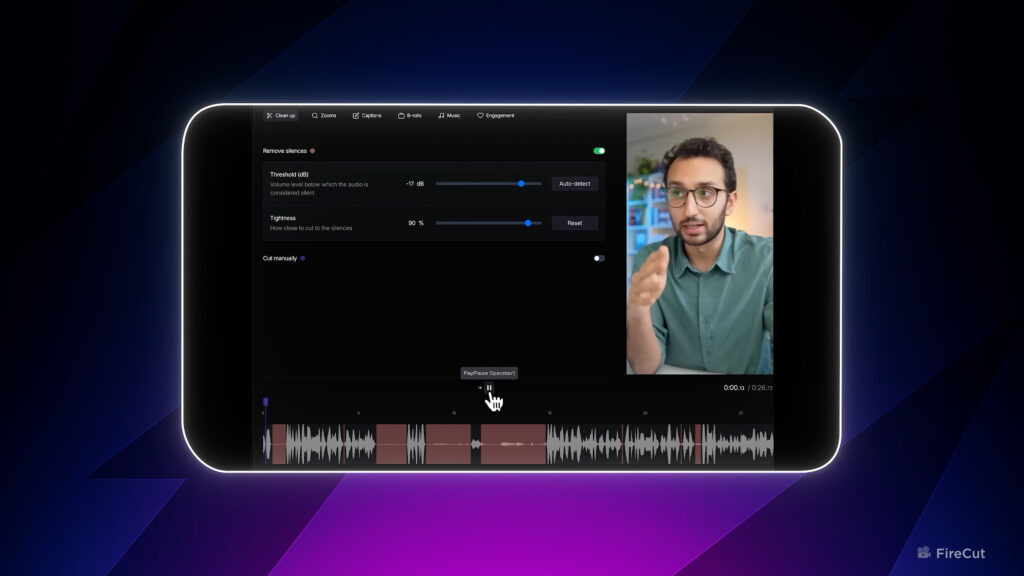
This is particularly useful for quickly producing:
- YouTube Shorts
- TikToks
- Instagram Reels
- Social media clips
For creators producing short-form content regularly, tools like this can dramatically accelerate your editing workflow.

Fire Cut AI is the ultimate Premiere Pro plugin for faster editing. Save hours on podcasts, interviews, and tutorials — work smarter, not harder with this powerful AI editing tool.
DISCLAIMER: I am a Firecut AI affiliate and using the link above will earn me a commission. It costs you no extra but helps the channel out at the same time.
3. Automating Social Media Posting to Save Hours Every Week
Publishing content is often more time-consuming than creators expect.
Posting isn’t just uploading a video.
You also need to create:
- Titles
- Thumbnails
- Captions
- Descriptions
- Hashtags
- Platform formatting
At one point I realised posting content was taking half my day.
It felt less like publishing and more like paperwork.
The Productivity Fix: Create a Content Posting System

The solution is to build a repeatable posting template.
You can create a simple workflow using tools like:
- Notion
- Google Sheets
- Content planning templates
Plan elements such as:
- Video titles
- Caption formats
- Hashtag groups
- Posting schedules
This allows you to batch prepare content for multiple platforms at once.
Pro Tip: Use Social Media Scheduling Tools
Scheduling tools can automate your entire publishing workflow.
Popular options used by social media managers include:
- Metricool – excellent for cross-platform analytics and scheduling
- Buffer – simple and beginner-friendly scheduling
- Later – ideal for visual-first platforms like Instagram
- PostEverywhere – designed for multi-platform automation
With these tools, you can spend one afternoon scheduling posts for an entire week or month.

This frees up your time to focus on what really matters:
Creating great content.
4. How to Beat Writer’s Block and Generate Endless Content Ideas
Almost every creator has experienced it.
You open a blank document… and suddenly forget how to write.
Writer’s block can completely stall your content production.
With social platforms demanding constant content, the pressure to generate ideas can become overwhelming.
The Productivity Fix: Use a Simple Storytelling Framework

Instead of starting from scratch every time, use a repeatable storytelling structure.
Most engaging content includes five key elements:
- A Hook – something that grabs attention immediately
- A Character or Subject – a person, product or idea
- A Problem – a relatable challenge
- A Solution – the advice or insight you provide
- A Transformation – the result after solving the problem
Once you have this structure, writing scripts becomes far easier.
You’re simply filling in the framework rather than inventing everything from scratch.
Pro Tip: Keep a Running List of Content Ideas
Great content ideas rarely appear when you sit down to write.
They usually appear when you’re:
- Exercising
- Walking
- Relaxing
- Doing something unrelated
Whenever you notice:
- A problem
- A frustration
- A question someone asks you
Write it down immediately.

Keeping a running list of ideas in your phone or notebook ensures you always have a backlog of content topics.
Over time this becomes a powerful idea bank you can turn into future videos.

Final Thoughts: Work Smarter, Not Harder
Creating content consistently doesn’t have to feel overwhelming.
By improving your workflow you can:
- Film more efficiently
- Edit faster
- Automate publishing
- Generate ideas easily
These four productivity techniques have dramatically improved my own content workflow, allowing me to spend less time on repetitive tasks and more time focusing on creativity.
If you apply even one of these methods, you’ll likely see a noticeable improvement in how quickly and effectively you can produce content.